
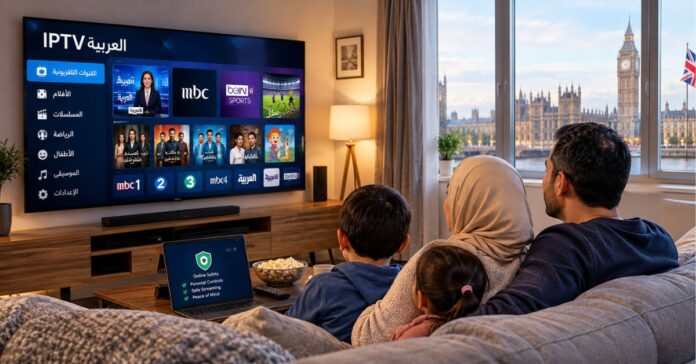
For a lot of Arabic-speaking families in Britain, the television is never just a television. It’s where the evening news from home plays while dinner is cooking, where the Ramadan series everyone is talking about turns up, and where children pick up Arabic without realising they’re learning anything. Not so long ago, getting that kind of content here meant a satellite dish, a contract and a channel list that never quite matched what you wanted to watch.
Internet-based TV has changed that, and services such as EVDTV now bring Arabic channels to UK homes over a normal broadband connection. This guide walks through how Arabic IPTV works for UK viewers, what to look for in a package, how to set up parental controls properly, and why support matters more than most people think when they’re comparing prices. If you’re setting up for the first time or considering a switch, there should be something here you can use straight away.
What IPTV Actually Is
IPTV stands for Internet Protocol Television. Rather than arriving through an aerial or a dish, channels reach you over your broadband connection, the same way a video on your phone does. An app or a small streaming box then turns that data into live television on your screen.
For Arabic-speaking households in the UK, the appeal is easy to see:
- No dish. Plenty of rented flats and leasehold buildings don’t allow them, and installation isn’t cheap anyway.
- More choice in one place. Channels from the Gulf, the Levant, North Africa and Egypt can sit in a single service instead of being scattered across several.
- Freedom to watch anywhere in the house. One subscription can often run on a smart TV, a tablet and a phone, so nobody has to fight over the living room.
- Catch-up and on-demand. Depending on the provider, you can watch what you missed, which helps when work or school clashes with broadcast times.
There is a catch. Quality depends heavily on your internet connection and on how good the provider is, so it pays to look carefully before committing.
Choosing a Streaming Package
Households differ, and a decent provider will give you more than one way to subscribe. Don’t stop at the price when you compare.
Start With What You Actually Watch
Some families want news and religious programming. Others are all about drama series, football, cinema or children’s channels. A package boasting thousands of channels sounds impressive, but if you’ll only ever open twenty of them, a smaller, better-chosen selection may serve you better.
Check that the channel list is published openly and that it includes the broadcasters you follow. If your family also wants some English-language channels alongside the Arabic ones, confirm that too.
Subscription Length
Most services offer monthly plans as well as longer terms of three, six or twelve months. The longer ones usually work out cheaper per month, but a monthly plan lets you test the service on a real evening at peak time before you commit. Starting short and moving to a longer plan once you’re happy is a sensible approach.
Devices
Make sure the service works on what you already own. Smart TVs, Android boxes, Amazon Fire devices, tablets and phones are the usual options. If you have to buy new hardware just to get started, count that in your comparison.
Picture Quality and Stability
Ask which resolutions are supported and what internet speed the provider recommends. HD and 4K need much more bandwidth than standard definition, and several people streaming at once adds up quickly. Test your speed in the evening, when you’d really be watching, rather than first thing in the morning.
Family Viewing Is the Whole Point
In many homes, TV is shared. Grandparents want the news, parents want their series, and the children want cartoons. A service that caters to only one of those groups sends everyone else looking elsewhere.
Language is a big part of why families value Arabic television. Children growing up in the UK mostly speak English at school and with friends, and Arabic programming gives them easy, regular exposure to the language. Cartoons, educational shows and family dramas won’t replace proper lessons, but they help.
Seasonal viewing matters as well. Ramadan brings a wave of new series and special programming, and Eid schedules often include films and shows made for the whole family. If that’s a big part of your year, check that the package carries the channels that broadcast them, and that the service copes with the heavy evening demand that comes with them.
Some Arabic IPTV services are aimed squarely at UK-based viewers, offering news, series, films and children’s content under a single subscription. Whichever provider you end up choosing, the question to ask is the same: does it cover what everyone in the house wants to watch, or only one person?
Parental Controls
With so much choice available, it makes sense to manage what younger viewers can reach. Parental controls aren’t a sign of distrust. They work much like age ratings on films.
What to Look For
When you assess an IPTV service or its app, see whether it offers:
- PIN protection, so a code is needed before certain channels or categories open.
- Category locking, which hides or blocks whole groups of channels at once rather than one by one.
- Separate profiles, where available, so a child’s profile shows only suitable channels.
- Easy resetting, so you can change the PIN yourself if a child works it out.
Habits That Make Them Work
Settings only go so far. Avoid birthdays and obvious sequences when choosing a PIN, and look over your locked categories every few months, because what suits a seven-year-old won’t suit a twelve-year-old. If you can, keep the main TV in a shared room, and explain to children why some things are restricted. A conversation usually does more than a block on its own.
Your broadband setup can help too. Many UK internet providers offer network-level filtering, which gives you a second layer of protection on top of whatever the IPTV app provides.
If you’re not sure how to switch controls on for a particular device, that’s a good moment to see how the provider’s support team responds.
Support: The Feature You Only Notice When You Need It
People tend to pick an IPTV service on price and channel count, then find out that support shapes the experience far more than expected. A streaming service depends on your broadband, your apps and your devices, so something will go wrong now and then. What matters is how quickly and clearly it gets sorted.
Questions Worth Asking Before You Pay
- How can I reach support? Email, an online form or a messaging app is better than a single address.
- When is it available? Evening and weekend help is worth far more than office hours, since that’s when families watch.
- Can I get help in Arabic and English? This helps in homes where different generations prefer different languages.
- Is there setup guidance? Clear instructions or a short walkthrough make the first day much easier, especially for less technical users.
Try These First
Many streaming problems have simple causes, so it’s worth running through the basics before you get in touch:
- Restart the app, then the device, then the router.
- Check your broadband speed, and see whether other devices are hogging bandwidth.
- Use a wired Ethernet connection for the main TV if the Wi-Fi is weak in that room.
- Make sure the app and the device software are up to date.
If you still need help, give support the details: the device model, the app version, the affected channel and roughly when the problem happened. It speeds things up considerably.
Check Who You’re Dealing With
The UK IPTV market is a mixed bag. Some services are properly licensed, while for others the rights position is unclear, so it’s up to you to do some homework. Look for clear company information, readable terms and conditions and straightforward billing, and be wary of any price that seems too low to be sustainable. If a provider is vague about who it is, how to contact it or what exactly you’re paying for, treat that as a warning.
Protect your payment details as well. Where you can, pay by a method that offers buyer protection, keep your receipts and confirmation emails, and don’t share your login with people you don’t know. Shared credentials cause account problems and weaken security.
A Quick Checklist
Here’s a short list to run through when you’re comparing Arabic IPTV providers:
- Does the channel list include the broadcasters we actually watch?
- Is there a monthly or short plan so we can try it first?
- Does it work on the devices we already have?
- Are the parental controls clear and easy to manage?
- Can I reach support in the evening, in the language I prefer?
- Is the company open about its terms, pricing and contact details?
- Is our broadband fast and stable enough for the quality we want?
If most of those get a yes, you’re probably choosing well.
Final Thoughts
Arabic IPTV has made it much easier for UK households to stay close to the language, culture and entertainment they care about. The best results come from picking a package that fits how your family really watches, setting up parental controls properly, and choosing a provider that backs its service with support you can actually reach.
Take your time, start with a short plan if possible, and test the service at the hours your household actually watches. A little care at the start pays off in evenings of reliable viewing for everyone, from the youngest children to the grandparents who’ve been waiting all day for their favourite programme.